You just pulled off an incredible play in your favorite game. Your heart’s racing, adrenaline pumping, and for a split second you think: “I wish someone had seen that.” Maybe you’ve thought about streaming before, picturing yourself entertaining an audience while doing what you already love. But then the doubts creep in. The equipment seems complicated, the technical setup looks overwhelming, and you’re not sure anyone would even watch. Here’s what most aspiring streamers don’t realize: you probably already own enough equipment to start streaming today, and the technical barrier is much lower than you think.
The game streaming industry has exploded over the past few years, with platforms like Twitch, YouTube Gaming, and Facebook Gaming making it easier than ever to share your gameplay with the world. Whether you’re hoping to build a community, share your skills, or eventually turn streaming into a side income, getting started doesn’t require a massive investment or professional-level technical knowledge. What it does require is understanding a few key components and making smart choices about your initial setup.
Understanding What Game Streaming Actually Requires
Before you spend a single dollar, let’s clarify what streaming actually involves from a technical standpoint. At its core, streaming is the process of broadcasting your gameplay and commentary live over the internet. This requires your computer or console to simultaneously run your game, capture your video and audio, encode that data into a format suitable for streaming, and upload it to your chosen platform in real-time.
The good news is that modern gaming PCs and even current-generation consoles have built-in capabilities that handle much of this process. If you’re gaming on a PC that was built within the last five years, you likely already have the processing power needed for basic streaming. According to Razer’s comprehensive beginner’s guide, the minimum requirements are more accessible than most people think.
Console gamers have an even simpler path forward. Both PlayStation 5 and Xbox Series X/S have native streaming capabilities that require nothing more than an internet connection and a platform account. The quality might not match a high-end PC setup, but it’s more than sufficient to start building an audience and learning the ropes of streaming.
The real challenge isn’t the hardware, though. It’s understanding what role each piece of equipment plays in creating a quality stream. Your microphone affects how clearly viewers can hear you. Your camera determines whether they can see your reactions. Your internet connection dictates whether your stream runs smoothly or buffers constantly. And your streaming software ties it all together, managing the technical details while you focus on gaming and engaging with your audience.
Choosing Your Streaming Platform
Your choice of streaming platform shapes everything from your potential audience to the features available during your streams. Twitch remains the dominant platform for game streaming, with the largest dedicated gaming audience and the most robust community features. The platform’s discoverability tools, raid functionality, and integration with gaming culture make it the default choice for most new streamers.
YouTube Gaming offers a compelling alternative, especially if you’re interested in creating both live streams and edited video content. The platform’s algorithm can help new creators find audiences, and viewers can discover your streams through regular YouTube searches. The integration between live content and archived videos also means your streams continue working for you long after you’ve gone offline.
Facebook Gaming has been growing steadily, particularly among streamers who already have an established Facebook presence or community. The platform makes it incredibly easy to notify friends and followers when you go live, giving you a built-in initial audience. However, the gaming-focused community is smaller compared to Twitch or YouTube.
For your first few months of streaming, pick one platform and commit to it. Trying to simultaneously stream to multiple platforms (multi-streaming) splits your audience and makes it harder to build the consistent viewership that platforms reward with better discoverability. Once you’ve established a rhythm and routine, you can explore expanding to additional platforms.
Essential Equipment for Your First Streams
Let’s talk about what you actually need to buy, and more importantly, what you can skip for now. The streaming equipment market is filled with expensive gear marketed as “essential” when you’re really just getting started. Your first priority should be audio quality, then video, then everything else.
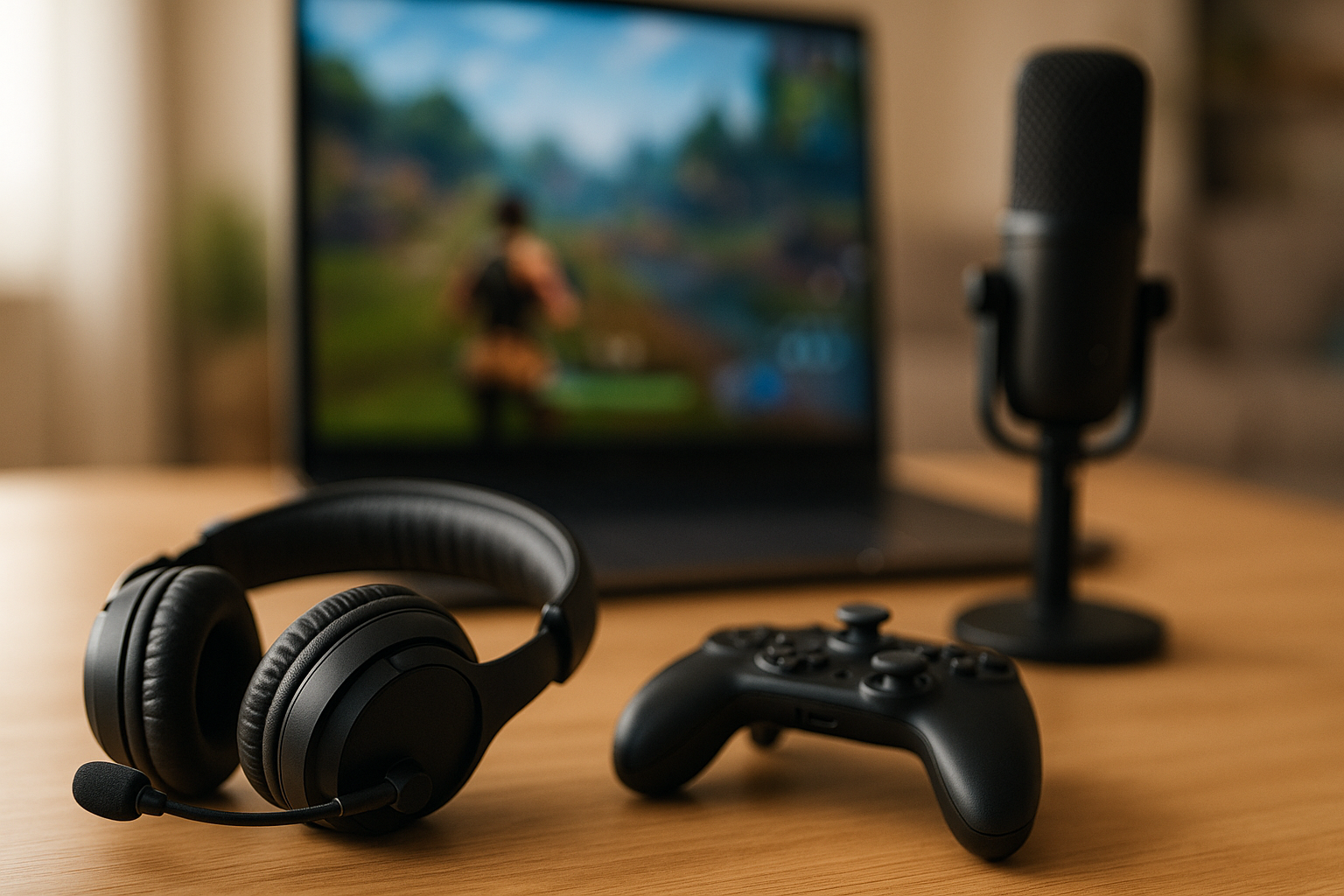
A decent USB microphone will transform your stream quality more than any other single purchase. Your viewers will forgive mediocre video quality, but poor audio drives people away instantly. You don’t need a $200 professional microphone for your first streams. A reliable USB microphone in the $50-80 range will serve you well until you’ve built an audience and understand whether streaming is something you want to pursue long-term. Look for options with cardioid pickup patterns, which focus on your voice while minimizing background noise.
Webcams come next in priority, and the same principle applies: you don’t need the most expensive option on the market. A 1080p webcam with decent low-light performance will cost between $60-100 and provide perfectly acceptable video quality. Position it at eye level and ensure you have adequate lighting, which matters far more than camera resolution. A simple ring light or even a well-positioned desk lamp can dramatically improve your camera presence.
Your internet connection deserves serious consideration, even though it’s not something you’ll “buy” for streaming specifically. For a smooth 1080p stream at 60 frames per second, you’ll need a consistent upload speed of at least 6-7 Mbps, though 10 Mbps provides a comfortable buffer for quality and stability. Run multiple speed tests at different times of day to understand your actual upload speeds, not just what your internet plan promises. If your upload speeds are consistently below 5 Mbps, you might need to either upgrade your internet package or adjust your streaming quality settings.
As highlighted in Epic Games’ beginner streaming guide, many new streamers overlook the importance of proper lighting and background setup, focusing too heavily on expensive equipment instead. Your streaming environment matters just as much as your gear. A clean, well-lit background and good audio will outperform expensive equipment in a messy, poorly lit room every single time.
What You Can Skip (For Now)
Stream decks, professional-grade mixers, multiple monitors, and fancy LED lighting can all enhance your streams, but none of them are necessary when you’re starting out. These upgrades make sense once you’ve established a streaming schedule, built an initial audience, and confirmed that you enjoy streaming enough to invest more heavily in it. Start simple, learn the fundamentals, and upgrade strategically based on actual needs you discover through experience.
Setting Up Your Streaming Software
OBS Studio (Open Broadcaster Software) is the industry standard for streaming software, and it’s completely free. While the interface might look intimidating at first, you only need to understand a few core concepts to start streaming. The software works by combining multiple sources (your game, webcam, microphone, alerts, overlays) into scenes that you broadcast to your chosen platform.
Your first OBS setup should focus on getting the basics working correctly before adding complex overlays or fancy transitions. Create a simple scene with your game capture, webcam feed in the corner, and your microphone input. Test your audio levels to ensure your voice comes through clearly without peaking or distorting. Configure your output settings based on your platform’s recommendations and your internet upload speed.
Most streaming platforms provide detailed encoding settings recommendations based on your internet speed and desired stream quality. Start conservative with your bitrate (the amount of data you’re sending per second), especially during your first few streams. It’s better to have a stable 720p stream than a constantly buffering 1080p stream. You can always increase quality once you’ve confirmed your setup can handle it reliably.
StreamEngage offers detailed setup tutorials for beginners that walk through OBS configuration step-by-step, including optimal settings for different internet speeds and hardware configurations. Taking time to properly configure your software before your first stream prevents technical difficulties that can derail your debut broadcast.
Testing Before Going Live
Never start your first real stream without doing test broadcasts. Every streaming platform allows you to stream privately or to a restricted audience, giving you the chance to identify and fix issues before anyone sees them. Run test streams of at least 15-20 minutes, long enough to ensure your internet connection remains stable and your computer can handle the encoding load without overheating or dropping frames.
During test streams, play the types of games you plan to stream regularly. Different games place different demands on your system, and you need to understand how streaming affects your gaming performance. Monitor your frame rates, watch for encoding lag, and listen to your audio quality. Record these test streams and watch them back to see what viewers will actually experience.
Creating a Comfortable Streaming Environment
The physical space where you stream matters more than most beginners realize. You’ll potentially spend hours at a time in this spot, talking to your audience while maintaining focus on your game. Ergonomics aren’t exciting, but an uncomfortable setup will cut your streams short and make the entire experience less enjoyable.
Position your monitor at eye level to avoid neck strain during long sessions. Ensure your chair provides proper support, because slouching for three hours while streaming takes a real physical toll. Keep water within easy reach – staying hydrated keeps your voice clear and prevents the dry mouth that often comes with extended talking.
Consider your background carefully. Viewers will stare at whatever is behind you for the duration of your stream, so keep it clean and intentional. You don’t need an elaborate setup with LED panels and green screens, but you should avoid clutter, personal items you don’t want broadcast, and distracting movement. A simple, neutral background keeps the focus on you and your gameplay.
Manage potential interruptions before you go live. Let family or roommates know you’ll be streaming, silence your phone notifications, and close unnecessary applications that might generate sounds or popups. Few things are more awkward for a new streamer than having to apologize for background noise or unexpected interruptions during their first broadcasts.
Planning Your First Stream
Your first stream doesn’t need to be a major production, but having a basic plan reduces anxiety and helps you stay focused when the pressure of being “live” kicks in. Choose a game you know well and feel comfortable playing. You’ll be managing multiple tasks simultaneously – playing, talking, monitoring chat, checking stream health – and trying to do this while learning a new game creates unnecessary difficulty.
Set a realistic duration for your first stream. Two hours is a solid target for beginners, long enough to settle into a rhythm without exhausting yourself. Streaming requires more energy than casual gaming because you’re constantly engaging and performing, even during slower moments. Better to end your first stream feeling good and excited for the next one than to push too long and burn out.
Prepare some talking points before you start. Many new streamers underestimate how challenging it is to maintain continuous commentary, especially when you don’t have active chatters yet. Have a mental list of topics you can discuss: why you enjoy this game, strategies you’re working on, stories from previous gaming sessions, or even just explaining your thought process during gameplay. These prepared topics prevent awkward silence when the natural conversation lulls.
Don’t obsess over viewer counts during your first streams. It’s completely normal to stream to zero or just a handful of viewers when you’re starting out. Focus on building the habit of streaming consistently and developing your on-camera presence. Every successful streamer started exactly where you are now, talking to an empty chat and hoping someone would stick around. Cloud gaming technology has made it even easier to maintain consistent streaming schedules without being tied to a specific physical setup.
Developing Your On-Stream Personality
Being yourself sounds like obvious advice, but many new streamers struggle to find the right balance between authenticity and entertainment. You don’t need to develop a completely different persona for streaming, but you do need to project energy and engagement even during quieter moments. Think of your streaming personality as an amplified version of yourself, the version that comes out when you’re excited to share something with friends.
Talk out loud constantly, even when no one is watching. Narrate your gameplay decisions, explain your strategies, react verbally to what happens in the game, and share your thoughts on whatever crosses your mind. This continuous commentary feels unnatural at first, but it’s essential for creating watchable content. Viewers who discover your stream need to immediately hear why they should stick around, and long stretches of silence send them clicking away to more engaging content.
Interact with every single person who chats, especially in your early streams. When someone takes the time to type a message in a small stream, acknowledging them by name and responding thoughtfully makes them feel valued and increases the chance they’ll become a regular viewer. These early supporters often become the foundation of your community, the people who show up consistently and help new viewers feel welcome.
Find your niche or angle, something that makes your streams distinctively yours. Maybe you’re exceptionally skilled at a particular game and can provide high-level strategy. Perhaps you’re learning a game from scratch and bringing viewers along on that journey. You might focus on positive, family-friendly content in a gaming category known for toxicity, or maybe you excel at creating a cozy, chill atmosphere where viewers can relax. Your unique approach doesn’t need to be revolutionary, but it should give people a reason to watch you specifically rather than one of the thousands of other streamers.
Building Consistency and Growth
The single most important factor in growing a streaming channel is consistency. Pick a streaming schedule you can realistically maintain and stick to it religiously. Your early viewers need to know when they can find you live, and platforms reward consistent streamers with better discoverability. Three streams per week on a predictable schedule will build an audience faster than seven streams scattered randomly across the month.
Quality matters more than quantity, especially when you’re starting out. A polished two-hour stream with good audio, stable video, and engaged commentary beats a six-hour marathon where you’re clearly exhausted and struggling to maintain energy. As you build stamina and refine your process, you can extend your stream duration, but start with what you can sustain at a high quality level.
Promote your streams beyond your streaming platform. Share your schedule on social media, create short highlight clips from your streams to post on Twitter or TikTok, and engage with gaming communities related to the games you stream. Growth on streaming platforms is challenging because of intense competition for viewer attention, but bringing even small numbers of viewers from external sources helps build momentum.
Review your past broadcasts to identify areas for improvement. Watch for moments where your energy dipped, notice how you handled (or failed to handle) chat interactions, and analyze your technical quality. This self-review process might feel uncomfortable, but it’s how you develop from a beginner into a skilled broadcaster. Many successful streamers credit watching their own content as one of the most valuable learning tools in their development.
If you’re serious about optimizing your setup, consider how choosing the right controller for your playstyle can improve both your gameplay and viewer experience, making your streams more engaging and professional.
Starting your streaming journey might feel overwhelming right now, but thousands of successful streamers began exactly where you are: uncertain, inexperienced, and hoping someone would actually watch. The technical barriers are lower than ever, the equipment costs less than you probably expected, and the potential to build a genuine community around your gaming passion is entirely within reach. Your first stream won’t be perfect, and that’s completely fine. What matters is starting, learning from each broadcast, and showing up consistently for the audience you’ll build one viewer at a time. Set up your basic equipment, configure your software, pick a date for your first stream, and take the leap. The gaming community is waiting to discover their next favorite streamer, and that could absolutely be you.

Leave a Reply