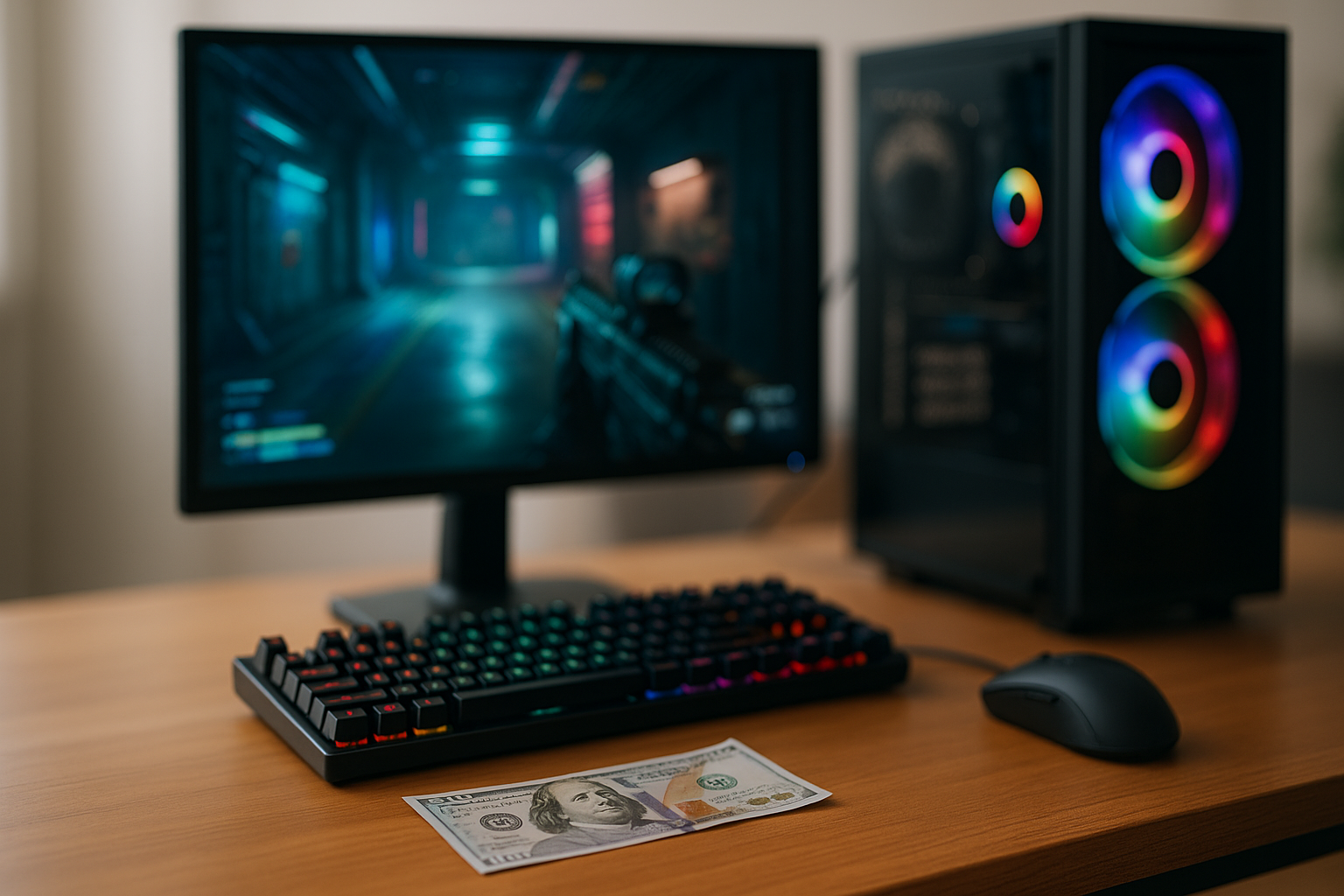
Building a killer gaming setup used to mean dropping thousands of dollars on high-end components and premium peripherals. Not anymore. The gaming landscape in 2025 has completely shifted, with budget-friendly hardware delivering performance that would have cost twice as much just two years ago. Whether you’re a student working with limited funds or simply smart with your money, creating an impressive gaming station for under $1000 is not just possible – it’s easier than ever.
The secret isn’t cutting corners or settling for subpar experiences. It’s about understanding where to invest your budget, which components actually matter for gaming performance, and how to spot genuine value in a market flooded with options. After testing dozens of configurations and tracking price-to-performance ratios across hundreds of components, we’ve identified the sweet spots that deliver maximum gaming power without the premium price tag.
Understanding the $1000 Budget Gaming Landscape in 2025
The gaming hardware market has experienced a dramatic transformation over the past year. GPU prices have stabilized after years of volatility, AMD and Intel are locked in fierce competition that benefits budget builders, and the used market offers legitimate alternatives that were risky propositions just 24 months ago. This perfect storm of market conditions means your $1000 goes further in 2025 than it did in 2023 or 2024.
What can you realistically expect from a sub-$1000 setup? You’re looking at 1080p gaming at high to ultra settings in most modern titles, with frame rates consistently above 60 FPS. Competitive gamers will hit 144+ FPS in esports titles like Valorant, CS2, and Fortnite. Even demanding AAA games like Cyberpunk 2077 and Starfield become playable with the right settings adjustments. The gap between budget and premium gaming experiences has narrowed significantly.
The biggest shift in 2025 is the viability of cloud gaming services as a complementary option. While we’re focusing on traditional PC builds here, it’s worth noting that a modest $600 machine paired with a cloud gaming subscription can sometimes deliver better value than a standalone $1000 build, depending on your gaming habits and internet quality.
The Core Components – Where to Spend and Where to Save
Every dollar in your budget needs to work hard, which means understanding the hierarchy of gaming performance. Your GPU should consume 35-40% of the total budget – that’s $350-$400 in a $1000 build. This isn’t negotiable if gaming is the priority. The graphics card determines your frame rates, resolution capabilities, and overall gaming experience more than any other component.
Your CPU comes next at roughly 20-25% of the budget. In 2025, options like the AMD Ryzen 5 7600 or Intel Core i5-13400F offer exceptional gaming performance without bottlenecking mid-range GPUs. Both handle modern games effortlessly while leaving headroom for streaming or content creation if you expand later. The performance difference between these budget gaming CPUs and their premium counterparts is minimal in real-world gaming scenarios.
Here’s where smart builders save money: motherboard, RAM, and storage. You don’t need an expensive X670 or Z790 motherboard when a solid B650 or B760 board delivers identical gaming performance for $100 less. Similarly, 16GB of DDR4 RAM still handles every game in 2025 beautifully, though DDR5 prices have dropped enough to consider if your motherboard supports it. For storage, a single 1TB NVMe SSD provides plenty of space for your OS and several large games, with room to add more drives later.
The GPU Decision – New vs. Previous Generation
The GPU market in 2025 offers compelling options in the $300-$400 range. NVIDIA’s RTX 4060 and AMD’s RX 7600 XT represent current-generation cards with ray tracing support and modern features. However, experienced PC builders recommend considering previous-generation cards like the RTX 3060 Ti or RX 6700 XT, which frequently appear on sale for $280-$350 and offer similar or better rasterization performance.
The used GPU market has matured significantly, with reputable sellers offering warranties and return policies that minimize risk. A used RTX 3070 for $300 delivers better 1080p and 1440p performance than many current budget cards, though you sacrifice some efficiency and newer features like DLSS 3. The decision ultimately depends on whether you prioritize raw performance or long-term feature support.
Three Complete Budget Gaming Setup Configurations
Let’s break down three distinct approaches to the $1000 budget, each optimized for different priorities. These builds reflect real-world pricing from early 2025 and include everything except peripherals and monitor.
The Balanced Build – $950
This configuration offers the best all-around experience for most gamers. It centers on an AMD Ryzen 5 7600 CPU ($200) paired with an RX 7600 XT GPU ($350), delivering excellent 1080p performance with room to handle 1440p in many titles. A B650 motherboard ($120) provides modern connectivity and upgrade paths, while 16GB of DDR5-5600 RAM ($65) ensures smooth multitasking. The Thermaltake S100 case ($50) offers clean aesthetics and adequate airflow, powered by a 650W bronze-rated PSU ($65). A 1TB NVMe SSD ($50) and the stock AMD cooler round out the build, leaving $50 in the budget for sales tax or a small upgrade.
This build excels at modern gaming while maintaining upgrade flexibility. The AM5 socket supports future AMD CPUs, and the power supply headroom allows GPU upgrades down the line. You’ll max out esports titles at 144+ FPS and run AAA games at high settings with 60+ FPS consistently.
The Performance-First Build – $980
For gamers who prioritize frame rates above everything else, this build allocates maximum budget to the GPU. An Intel Core i5-12400F ($150) provides solid gaming performance at a lower cost than current-gen alternatives. The real star is a used RTX 3070 ($320) or new RTX 4060 Ti ($380), depending on availability. A B660 motherboard ($100) keeps costs down while supporting DDR4, where 16GB of 3200MHz RAM costs just $45. The same reliable storage and PSU choices apply, with a budget case like the Montech AIR 100 ($40) maximizing airflow.
This configuration delivers noticeably higher frame rates in demanding games, easily handling 1440p gaming at high settings. According to performance testing across multiple titles, this GPU-focused approach yields 15-25% better gaming performance compared to more balanced builds, though you sacrifice some upgrade flexibility with the older platform.
The Future-Proof Build – $995
This approach emphasizes longevity and upgrade potential over immediate maximum performance. It builds on the AM5 platform with a Ryzen 5 7600 ($200) and B650 motherboard ($130), but includes 32GB of DDR5-6000 RAM ($110) for serious multitasking and future-proofing. The GPU is a modest RX 7600 ($280), but the 750W gold-rated PSU ($90) and quality case with good airflow ($75) create a foundation for easy upgrades. Storage includes both a 500GB NVMe boot drive ($35) and 1TB SATA SSD for games ($50).
While this build offers slightly lower gaming performance initially, it’s positioned perfectly for a GPU upgrade in 12-18 months. The oversized PSU, extra RAM, and modern platform mean you can drop in a high-end GPU when prices fall or your budget expands, instantly transforming this into a premium gaming machine.
Peripherals and Monitor Considerations
A powerful PC means nothing without proper peripherals, yet this is where many budget builders stumble. If your $1000 budget must include a monitor, keyboard, and mouse, you need a different strategy. Consider starting with a $700 PC build and allocating $200 for a 1080p 144Hz monitor, with the remaining $100 split between a mechanical keyboard and a quality gaming mouse.
Monitor selection dramatically impacts your gaming experience. A 24-inch 1080p 144Hz IPS panel from brands like AOC or ViewSonic typically costs $150-$180 and pairs perfectly with budget gaming builds. Avoid the temptation to go 1440p at this budget – the larger monitors cost more and require more GPU power, creating bottlenecks. Save 1440p for future upgrades when you can properly support it.
For controllers, understanding which controller matches your playstyle can significantly enhance your gaming experience, especially for titles that play better with gamepad input. A quality wireless controller ($50-$70) often delivers better value than cutting corners on keyboard and mouse quality.
The Peripheral Upgrade Path
Start with functional basics and upgrade peripherals over time. A $30 mechanical keyboard from Redragon or a similar budget brand delivers 90% of the experience of premium models. Similarly, mice like the Logitech G203 or Razer Viper Mini offer excellent sensors and build quality for under $30. These aren’t compromises – they’re strategic choices that preserve budget for components that directly impact performance.
Invest in a good mousepad ($15-$25) and decent headset ($40-$60) before upgrading to premium peripherals. The SteelSeries Arctis Nova 1 and HyperX Cloud Stinger 2 provide impressive audio quality and comfort for around $50, enhancing game awareness far more than marginally better keyboard switches or RGB lighting.
Building vs. Buying – The 2025 Reality
Prebuilt gaming PCs have become surprisingly competitive in 2025. Major retailers and system integrators frequently offer complete systems under $1000 that approach DIY pricing, especially during sales events. However, detailed analysis from budget gaming setup experts reveals that building yourself still saves 15-20% while offering better component selection and upgrade flexibility.
The real advantage of building isn’t just cost savings. You understand every component in your system, making troubleshooting simpler and upgrades straightforward. You select each part based on your specific needs rather than accepting whatever GPU or RAM the manufacturer included to hit a price point. Most importantly, you avoid proprietary components that lock you into expensive upgrade paths.
That said, prebuilts make sense in specific scenarios. If you have zero technical confidence, lack tools, or find a genuinely exceptional sale, buying makes sense. Companies like NZXT, iBUYPOWER, and even Best Buy’s house brand occasionally offer configurations that match DIY pricing. Just scrutinize the specifications carefully – many budget prebuilts include adequate CPUs and GPUs but cheap out on PSUs, motherboards, and RAM that limit longevity.
Maximizing Performance Through Smart Software Choices
Hardware represents only half the equation. Software optimization extracts every ounce of performance from budget components. Start with a clean Windows installation rather than using bloated manufacturer images. Disable unnecessary startup programs, background apps, and Windows visual effects that consume resources. These simple tweaks often yield 5-10% performance improvements in CPU-limited scenarios.
Graphics settings require nuanced understanding. Ultra settings often deliver minimal visual improvements over High while consuming significantly more GPU resources. Features like ambient occlusion, volumetric lighting, and high-resolution shadows tax budget GPUs heavily for subtle effects most players barely notice during actual gameplay. Learn which settings impact visuals meaningfully and which just tank frame rates.
Driver updates matter more than many realize. Both AMD and NVIDIA release game-specific optimizations that can improve performance by 10-15% in new titles. Similarly, keeping your motherboard BIOS current ensures CPU compatibility and performance optimizations. Set a monthly reminder to check for updates rather than waiting for problems to arise.
Overclocking and Performance Tuning
Modern components offer headroom for free performance gains through overclocking and tuning. AMD’s Ryzen CPUs typically handle all-core overclocks of 100-200 MHz safely with stock coolers, yielding 3-5% performance improvements. GPU overclocking can push frame rates 5-10% higher through tools like MSI Afterburner, though results vary by individual chip quality.
RAM overclocking and timing optimization delivers surprisingly significant gaming performance improvements, especially on AMD systems. Enabling XMP/EXPO profiles in BIOS instantly boosts performance without technical knowledge. More adventurous users can manually tune timings for additional gains, though this requires research and patience. Even conservative RAM tuning can improve minimum frame rates by 10-15%, making gameplay feel smoother.
The Upgrade Roadmap – Growing Your Setup Over Time
Smart budget builders plan upgrade paths from day one. Your initial $1000 investment should establish a foundation that accepts progressive improvements without requiring complete rebuilds. The most impactful first upgrade is typically additional RAM if you started with 16GB – jumping to 32GB costs $50-$70 and dramatically improves multitasking and productivity tasks.
Storage expansion offers the best value proposition for early upgrades. Adding a 2TB SATA SSD for game storage costs $80-$100 and eliminates the constant juggling of installed titles. This quality-of-life improvement doesn’t boost performance but significantly enhances daily experience, especially as game install sizes continue growing.
GPU upgrades deliver the most dramatic performance improvements but require patience. Wait 18-24 months after your initial build, when new generations offer substantial improvements and your current card’s value has depreciated. Selling your original GPU offsets upgrade costs – a $350 GPU purchased today might sell for $180-$200 in two years, making a $500 upgrade effectively cost $300-$320.
Monitor upgrades should follow GPU upgrades, not precede them. There’s no point buying a 1440p 165Hz monitor if your GPU struggles to drive it. Upgrade your graphics card first, verify it handles higher resolutions and refresh rates, then invest in a better display. This sequencing ensures every upgrade delivers immediate, tangible benefits.
Common Mistakes to Avoid in Budget Builds
The single biggest error budget builders make is overspending on aesthetics at the expense of performance. RGB lighting, tempered glass panels, and premium cases look impressive but don’t improve gaming experiences. That $120 spent on a flashy case could instead upgrade from an RX 7600 to an RX 7600 XT, delivering 15% better frame rates. Function over form isn’t exciting, but it’s the foundation of smart budget building.
Another common pitfall is buying unnecessary high-wattage power supplies. A quality 650W PSU handles virtually every sub-$1000 build comfortably, including future GPU upgrades. That 850W unit costs $30-$40 more without providing benefits unless you’re planning extreme overclocking or dual-GPU configurations that budget builders won’t pursue. Bigger isn’t better when it drains funds from components that actually impact performance.
Skimping on the power supply itself, however, proves penny-wise and pound-foolish. A no-name 500W PSU might cost $35, but it risks damaging components during power delivery issues and often fails within 2-3 years. Investing $60-$70 in a reliable bronze-rated unit from established brands like EVGA, Corsair, or Thermaltake protects your entire system and typically includes warranties of 3-5 years.
Building a competitive gaming setup for under $1000 in 2025 isn’t about sacrifice or settling – it’s about strategic choices and understanding where your money creates actual value. The gap between budget and premium gaming experiences continues narrowing as component technology advances and market competition intensifies. With careful planning, smart component selection, and an eye toward future upgrades, your sub-$1000 setup delivers gaming experiences that would have required twice the budget just a few years ago. The key is starting with a solid foundation and growing your setup deliberately as your budget allows and new technologies emerge.

Leave a Reply